



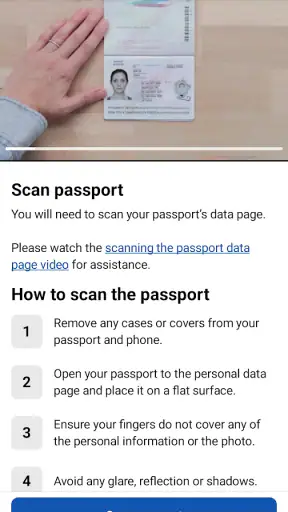
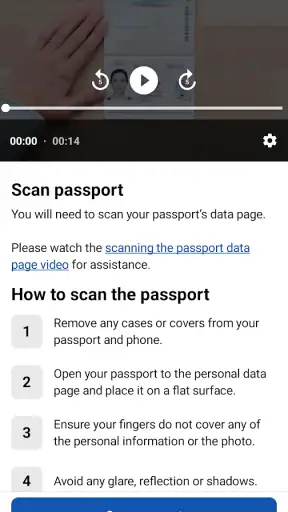
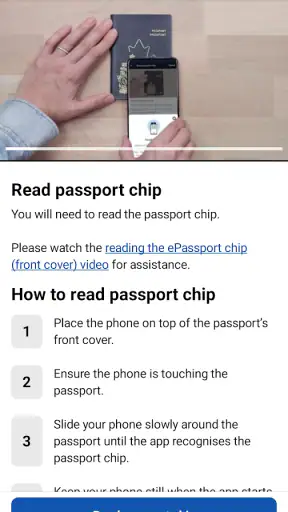
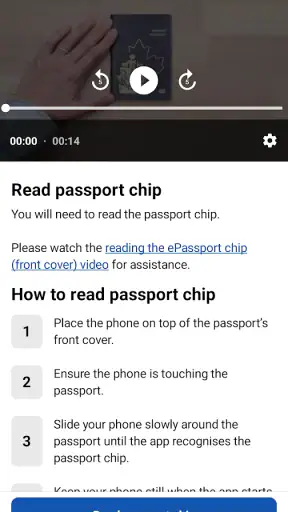
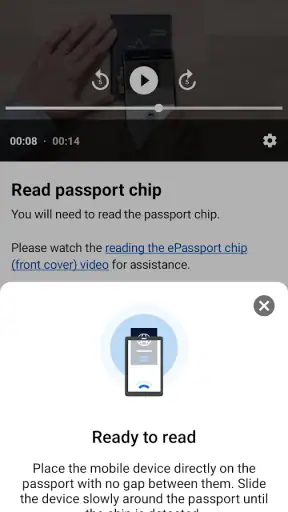
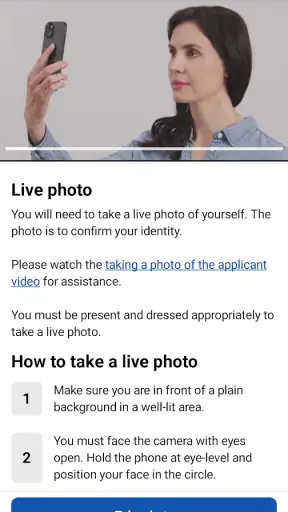
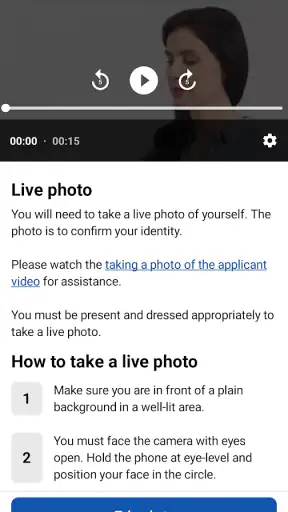
Applying for permission to travel can feel like one of those jobs that should take a few minutes but somehow expands into an evening of forms, document checks, and second-guessing. I found AustralianETA most useful when I treated it as a focused travel application rather than a general trip-planning tool. Its purpose is narrow: it helps eligible travelers apply for an Electronic Travel Authority before traveling to Australia. That narrow focus is also its main strength, because the experience does not distract me with hotel searches, itineraries, or tourist recommendations.
The app comes from the Department of Home Affairs, which gives it a more official role than the many third-party travel services that may appear when someone searches for an Australian ETA. It is free, aimed at Everyone, and belongs in the Travel & Local category. On the store, it has an average rating of 4.8 from around 50 thousand ratings, with over a million installs. Those figures suggest that it has become a familiar route for many travelers, although popularity alone does not remove the need to enter personal and passport information carefully.
My overall impression is that the application is best for someone who wants to complete the process directly from a phone and who has a stable connection, a valid travel document nearby, and enough time to review every answer before submitting. It is less suitable for a traveler who expects a broad visa adviser, a detailed explanation of every possible Australian entry pathway, or a tool that can solve an eligibility problem without the user doing any research.
How the connection changes the application experience
The moments when a reliable network matters most
The biggest practical issue is connectivity. An application of this kind is not like a game or a notes app that can remain useful when the signal disappears. I would plan to use AustralianETA while connected to a dependable mobile network or Wi-Fi, especially when opening the application, moving between stages, sending information, and checking the result of the submission. A weak connection can turn a simple sequence into an uncertain one: a page may take longer to load, a request may appear stalled, or I may wonder whether I should tap again.
That uncertainty matters more here than in an ordinary app because the process involves identity and travel details. My advice is to avoid starting while walking through an airport, boarding a train, or sitting in a crowded terminal with unstable public Wi-Fi. Those are exactly the places where a traveler may be rushed, distracted, or switching between networks. A quiet room with a charged phone and a steady connection is a much better environment.
I also would not leave the application until the last possible moment before departure. Even when the app itself feels straightforward, the surrounding travel situation can introduce delays: a passport may be in checked luggage, a name may need to be copied carefully, or the connection may fail just as information is being sent. The app can make the digital part convenient, but it cannot make travel deadlines flexible.
Using it on a phone instead of a computer
The mobile format makes sense for travelers who keep their passport and travel plans close at hand. I can imagine using it at home, in a hotel, or during a break at work without needing access to a desktop computer. That is especially useful for people who organize travel primarily from their phone and do not want to navigate an unfamiliar third-party website.
Still, a phone introduces its own friction. Small text, automatic keyboard corrections, glare, and interruptions from calls or other notifications can all make data entry less comfortable. I recommend increasing attention rather than speed. Passport names should be entered exactly as they appear on the document, and details should be checked while the passport is physically open beside the phone. A common mistake in travel applications is not a complicated technical error; it is a tired person copying one character incorrectly.
Another mobile-specific concern is switching between apps. A traveler may need to look at an email, a booking confirmation, or a saved document while completing the application. Every switch creates a chance of losing the place, refreshing a page, or simply forgetting which field was being completed. I would prepare the necessary information first, then keep the application in the foreground as much as possible. That small change makes the process calmer and reduces dependence on repeated loading.
A realistic everyday travel scenario
Imagine a traveler who books a holiday on a Friday evening and realizes that an ETA is needed before the journey. They have their passport on the kitchen table, a phone with enough battery, and home Wi-Fi. This is the situation in which AustralianETA makes the most sense. The traveler can read each prompt carefully, compare the entered information with the passport, and finish without paying an intermediary to do something they can handle themselves.
Now change the setting to an airport lounge with a crowded network and a departure approaching. The same app becomes less comfortable to use. The traveler may be trying to answer questions while listening for boarding announcements, juggling luggage, and worrying about whether a submission went through. In that context, the application is not necessarily the problem, but the mobile environment makes mistakes and uncertainty more likely. I would use it before leaving for the airport whenever possible.
What happens when something goes wrong
Connectivity failures are the area where I would most like users to be patient. If the application appears to pause during a network-dependent step, repeatedly tapping the same control may not be the best response. I would first check whether the phone still shows a connection, wait briefly, and then look for a clear indication of the current state before trying again. The goal is to avoid creating confusion about whether information was sent once, more than once, or not at all.
If the app closes or the phone loses power, recovery depends on what stage the traveler had reached and what the application presents when opened again. I would not assume that an interrupted screen equals a completed application. Instead, I would reopen the app on a stable connection and carefully look for the current application status or a way to continue. If the status is unclear, official Department of Home Affairs guidance is a better reference than guessing based on a frozen screen.
This is also why I would keep a simple personal record of the moment I submitted the application, without copying sensitive information into an unsecured note. A traveler may want to remember the date and check email or other official messages afterward. The useful habit is not to create a second unofficial application system; it is to give yourself enough context to recognize whether a later message relates to the correct trip.
Recovery is harder when a traveler changes devices, clears app information, or moves from one network to another during the process. I would avoid making those changes until the application is clearly finished. If a phone is shared with family members, each person should also slow down and confirm that the correct passport and personal details are being used. The app is designed around a real traveler’s identity, not a casual shared shopping basket.
Keeping mobile data use under control
I would not expect the application to be especially demanding in normal use, but it is still sensible to avoid unnecessary mobile-data risks. The most practical approach is to complete the process over trusted Wi-Fi when available, keep the phone charged, and avoid switching between Wi-Fi and cellular data halfway through a submission. A stable connection is more valuable here than squeezing the process into a few spare minutes.
Travelers using roaming data should be particularly deliberate. A connection that works for messages may not behave consistently when an app needs to load or send information. If Wi-Fi is unavailable, I would check that the phone has a reliable data connection before beginning rather than discovering the problem after entering several fields. This is also a good reason not to start while underground, inside a moving vehicle, or in a building known for poor reception.
Privacy deserves equal attention. The phone should be protected with its normal screen lock, and I would avoid completing a passport-related application on an open public network when a safer alternative is available. I would also be cautious about taking screenshots of personal details simply to remember where I was. Screenshots can remain in photo backups or appear in shared galleries long after the trip is over.
A useful preparation step is to close unrelated apps and pause anything likely to interrupt the phone, such as a large download or a video call. That does not guarantee a perfect session, but it makes the mobile experience less cluttered. The best data-conscious workflow is also the simplest: prepare the information, use one stable connection, review the entries, submit once, and wait for a clear result.
Where the app is stronger than common alternatives
The main alternative is often a web search followed by a third-party service. Those services may offer extra assistance, but they can also introduce confusion about who is actually handling the application and whether a separate service charge is involved. AustralianETA appeals to me because it comes from the Department of Home Affairs and is free. For a traveler who is comfortable reading instructions and entering their own information, going directly through the official app is the cleaner choice.
A desktop browser may be preferable for someone who dislikes typing on a phone or wants a larger screen for reviewing details. That does not make the app a poor option; it simply reflects different working styles. I would choose the mobile app when convenience and direct access matter more than screen size. I would choose a larger device when the traveler has limited phone experience, needs accessibility adjustments that are easier on a computer, or wants to compare documents side by side.
Travel agencies and professional advisers can still be more appropriate in complicated circumstances. Someone with unusual travel plans, uncertainty about eligibility, or a history that requires careful explanation may need authoritative guidance rather than a streamlined application interface. The app is not a substitute for understanding the correct Australian travel permission. It is a practical channel for making the application when the traveler already knows that this is the relevant route.
Small habits that make the process safer
My first tip is to treat the passport as the source of truth, not memory. Even familiar names can be entered differently when a person is tired, and passport formatting may not match the way a traveler normally writes their name. I would compare every identity field before moving on, especially after using the phone’s keyboard suggestions.
My second tip is to separate preparation from submission. Before opening the app, I would have the passport available, confirm the intended email address, and choose a quiet time. That reduces the temptation to leave the app repeatedly and lowers the chance of losing concentration. It also makes the connection issue easier to manage because the session can be completed in one deliberate attempt.
My third tip is to read the final review screen as if I were checking someone else’s application. Looking only for obvious spelling mistakes is not enough. I would check the relationship between the passport, the traveler, and the planned journey, then pause before sending anything. In travel paperwork, a few extra minutes of review are far cheaper than trying to correct an avoidable mistake later.
My fourth tip is to keep the phone’s battery and time zone in mind. A low battery can force an abrupt stop, while a device that changes networks or settings during travel can make the process feel less predictable. I would complete the application before a long journey rather than relying on airport charging points or public connectivity.
Who should use it and who should choose another route
I would recommend AustralianETA to an eligible traveler who wants a direct, no-cost mobile route and is comfortable handling personal information carefully. It is particularly well suited to independent travelers, people booking their own trips, and anyone who prefers an official application over a commercial intermediary. The Everyone age rating also makes it broadly approachable, although younger travelers may still need an adult to help them understand the questions and verify the passport details.
I would be more cautious about recommending it to someone who expects live personal support, has complicated immigration questions, or is not sure whether an ETA is the correct permission for their circumstances. In those cases, an official information source or qualified advice should come first. Using a convenient app without understanding the underlying travel requirement can create false confidence.
The current version is 1.22.1, and the app was released on September 28, 2020. I mention that because travelers often wonder whether an app that handles an important task is still maintained or familiar to other users. Its strong rating and broad adoption are reassuring signs, but I would still install updates when offered and use the latest official guidance alongside the application. A phone app should be treated as one part of the travel preparation process, not the only source of truth.
My connectivity verdict
After looking at the way the experience depends on a working connection, I see AustralianETA as a focused and sensible tool rather than a complete travel companion. Its strongest qualities are its official origin, free access, and direct purpose. It removes the need to search through unrelated services when the traveler simply wants to apply from a phone.
The trade-off is that the app rewards preparation. It is not the kind of tool I would casually open during a rushed airport transfer or use while moving between unreliable networks. A stable connection, a charged phone, the correct passport, and careful review make a noticeable difference. When those conditions are in place, the mobile format feels convenient and appropriately focused.
My recommendation is straightforward: use it when you already know that an Australian ETA is the right travel document and you want to apply directly through the Department of Home Affairs. Set aside a calm moment, protect your connection and personal information, and do not confuse a paused screen with a completed submission. For complicated eligibility questions or travelers who need personal guidance, another official route is better. For the ordinary traveler who wants a direct mobile application, AustralianETA is a practical choice, and its strongest feature is that it keeps the essential task in one official place.


